A tone plays in one ear, then in the other. You adjust the second until they sound the
same. In about three minutes you'll see how far apart your ears hear a note, in cents.
Before you start
Wear headphones or earbuds. Both ears, properly seated. This doesn't work through speakers.
Find a quiet room.
Turn off Mono Audio and spatial audio, and center your left/right balance, in your device settings.
Start with your volume low, then raise it until the tones are clear but comfortable.
This is a rough check for curiosity, not a hearing test or a diagnosis. Nothing you do
here is saved or sent anywhere.
Your browser doesn’t support Web Audio, which this check needs. Try a current version of Safari, Chrome, Firefox or Edge.
Which ear do you hear it in?
Your headphones may be mixing the ears
The tones didn't reach the ear they should have. Before measuring, check that both
earbuds are in the right ears (L and R), Mono Audio and spatial audio are off, and the
balance is centered. Bluetooth hearing aids and some headphones mix left and right.
Which ear hears music normally?
That ear plays the reference tone, and you'll adjust the tone in your other ear. If
you're not sure, pick either one.
Make the second tone match the first
Release the slider to hear the tones again. The slider has no fixed middle, on purpose.
Your result
Frequency
Your mismatch
This is one rough reading. It used one match per frequency, didn't
match loudness between your ears, and your headphones aren't calibrated, so treat the
numbers as a first look. Repeated matches vary by several cents even in healthy
hearing.
It uses pitch matching, the standard way to measure
diplacusis. A reference tone plays in the ear you hear normally
with, then a tone plays in your other ear, and you move the second until the two sound
like the same pitch. How far you had to move it, in cents, is your mismatch. 100 cents is a
semitone, the step between neighboring piano keys.
The tones play one after the other, never together: played at once, the
brain can merge them into one sound and hide the difference. The slider starts at a random
spot and its range shifts each time, so you can't match by position. You listen instead.
What your result means
Under about 20 cents: within the range ordinary variation can explain.
20 to 50 cents: a noticeable difference, enough to make chords sound slightly sour.
50 to 100 cents: a clear mismatch, up to half a semitone and beyond.
Over 100 cents: a semitone or more, a large mismatch.
Whatever your number, if the change in your hearing is new, have it checked by an
audiologist or ENT. A standard hearing test doesn't measure pitch, so tell them about it.
What the app adds
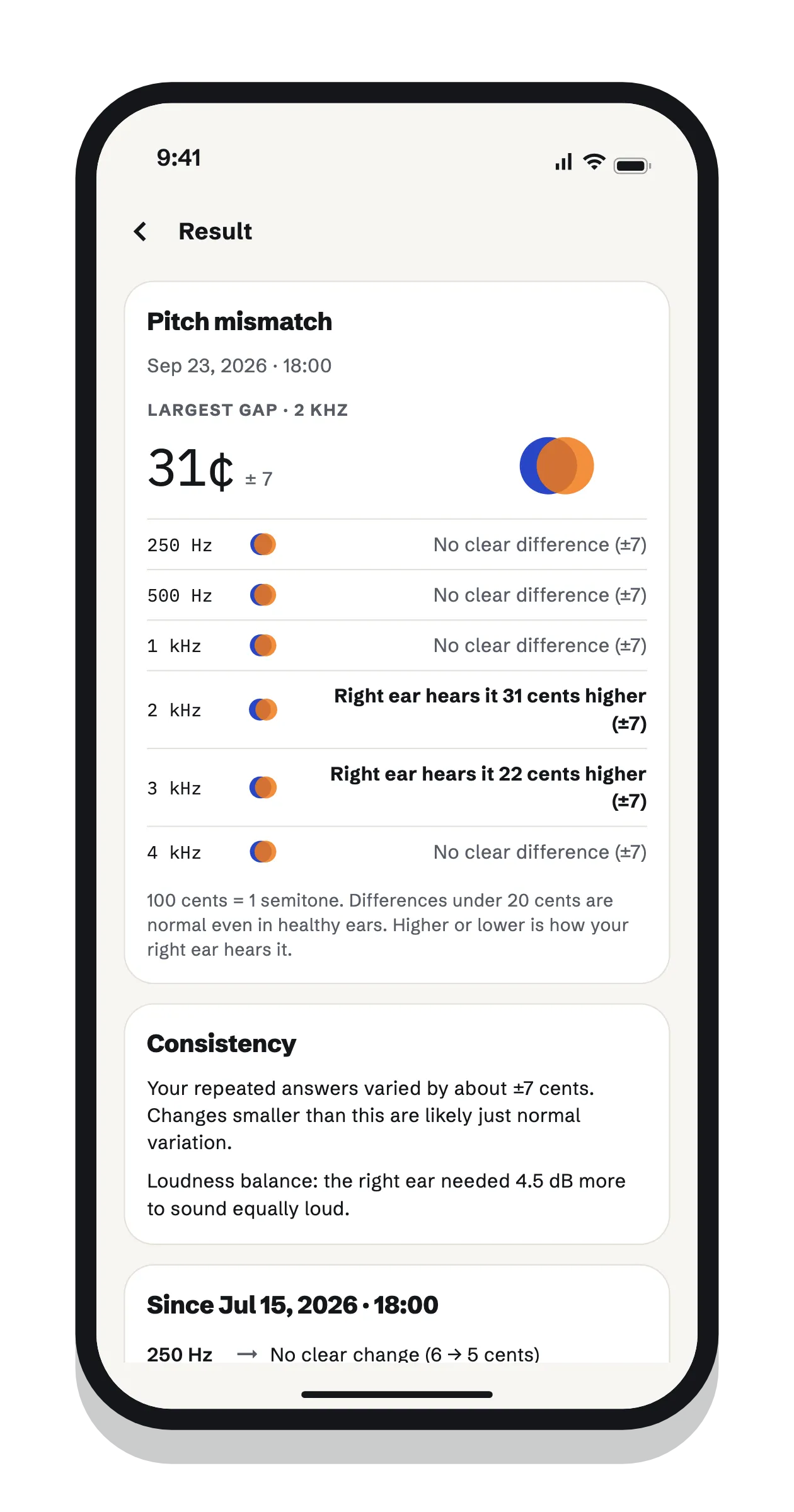
This page gives you a snapshot. The Harmonic Recovery app measures properly and over time:
a setup for your headphones that finds each ear's hearing level, so tones suit your ears
a loudness match between your ears first, since pitch shifts with loudness
six frequencies, each matched twice, with how consistent your answers were
a chart that shows whether your mismatch changes, and only calls it a change when it beats your normal variation
daily practice with your own music and a pitch hint, plus 3-minute drills
Harmonic Recovery
Measure it properly, and practice with your own music
A headphone setup tuned to each of your ears, a pitch-matching check at six frequencies,
a pitch hint that plays in your other ear while you listen to your own songs, 3-minute
drills, and a chart that shows whether anything is changing. Free to start.
On a computer? Scan with your phone's camera to open the app in its store.